Interhouse Competition Setup: Adhoc Team Declarations
Prerequisites
- Setup your events here
- Setup your teams here
- Import your athletes through the bulk competitors importer found here
Overview
The Team Entry Editor allows you to:
- Select athletes for individual events
- Add and remove athletes from events
- Use the HandsOn Grid for bulk entry
- Input runners into relay events
- Create and manage relay teams
- Set team categories
Selecting Athletes (Individual Events)
Step-by-Step
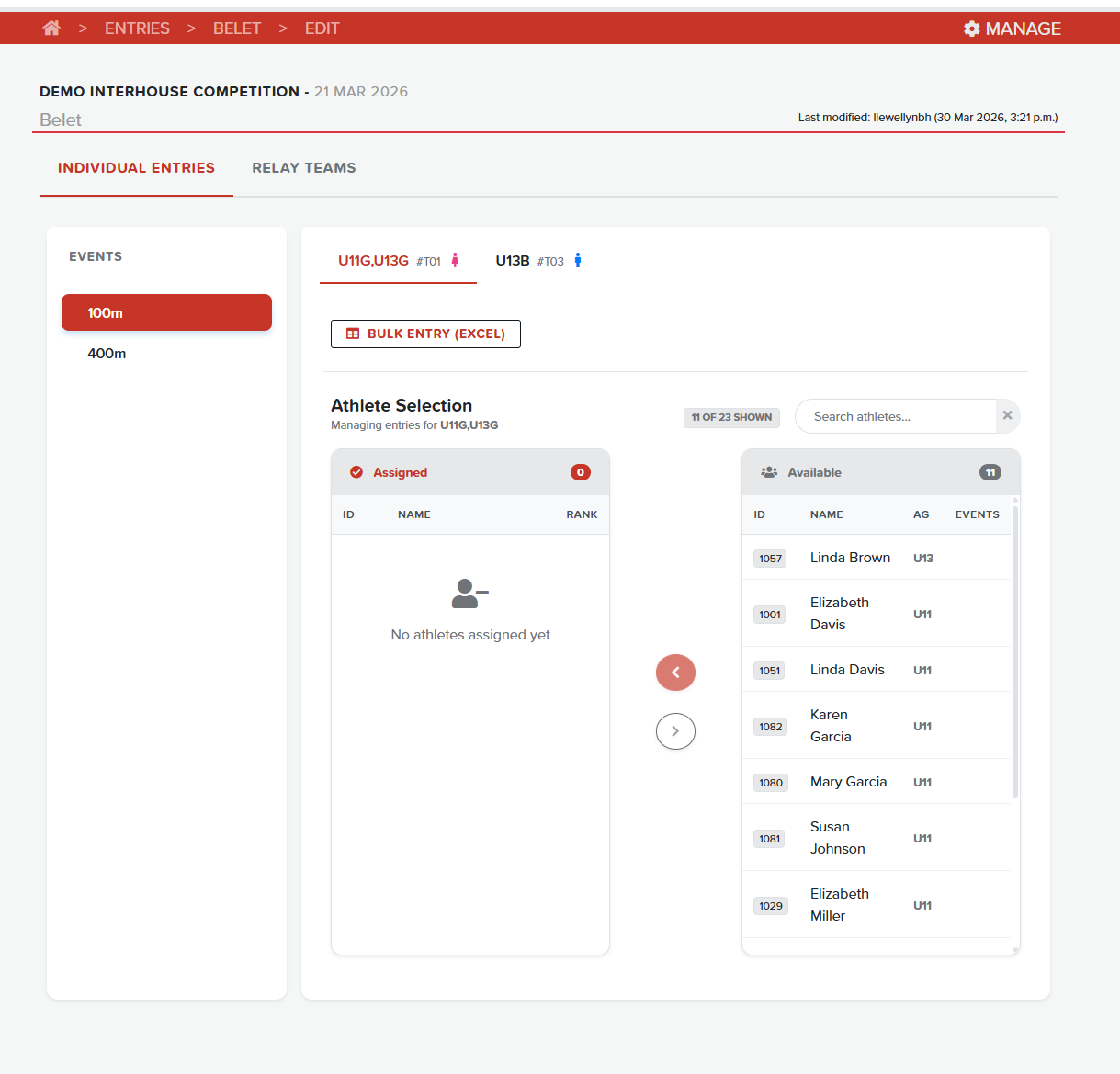
- Navigate to the Individual Entries tab
- Select an event category from the left sidebar
- Select the specific event from the sub-tabs
- Available Athletes are shown in the right panel
- Click on an athlete row to highlight them
- Click the chevron-left button to assign to the event
Tip
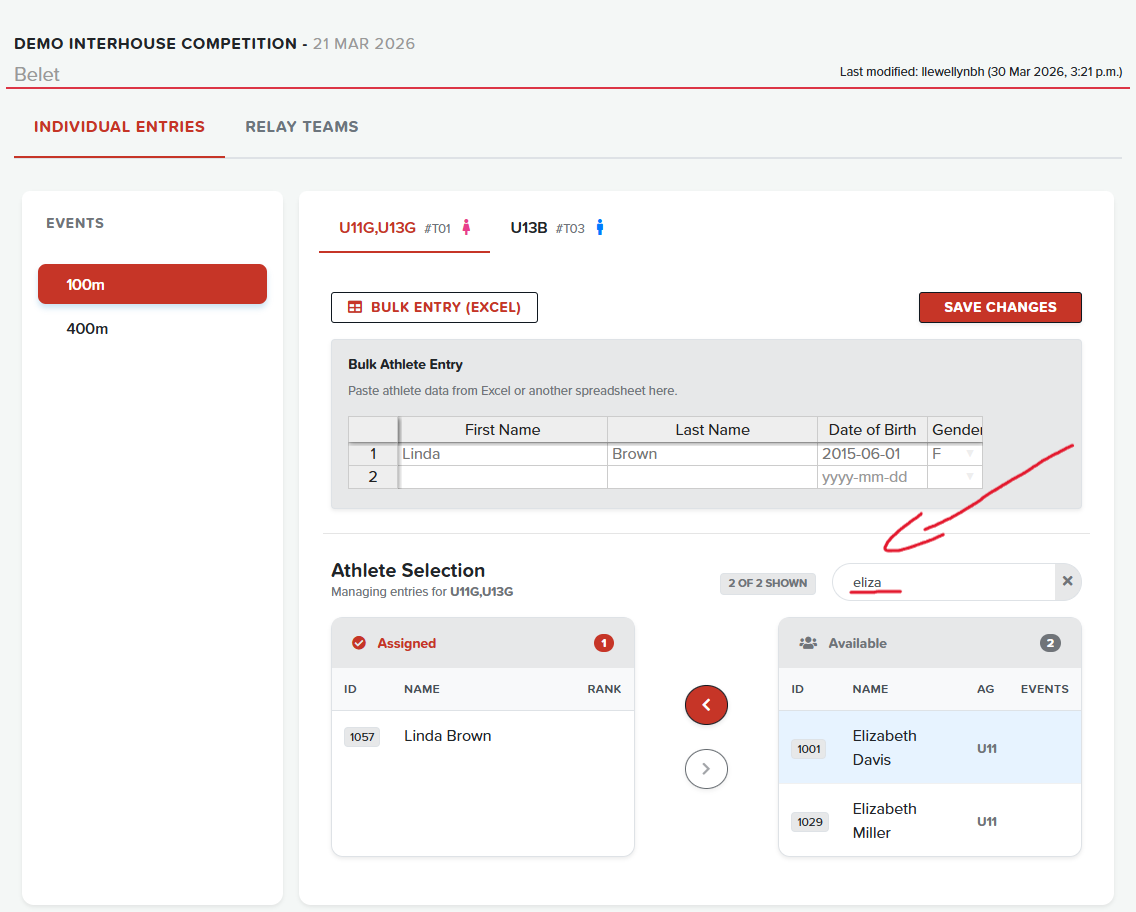
Use the search box to filter athletes by name.
Using the Search Box
Removing Athletes
- In the Assigned panel (left side), click on athlete(s) to select
- Click the chevron-right button to remove from the event
- Removed athletes return to the Available pool
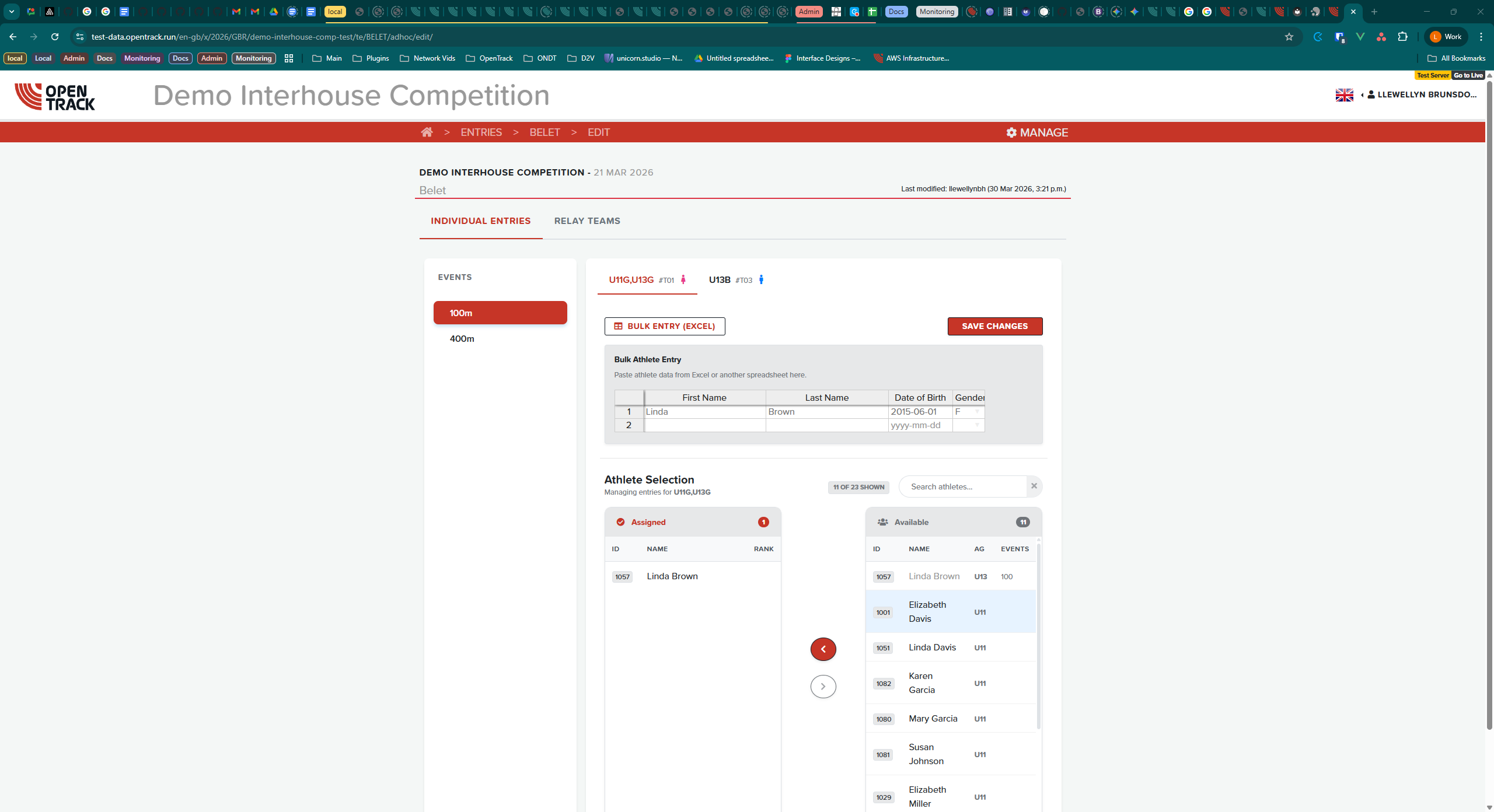
Adding Athletes Using the Grid
For bulk entry from spreadsheets:
- Click Bulk Entry (Excel) button to expand the grid
- Paste athlete data directly into the grid cells
- Data should be in format:
First Name,Last Name,Date of Birth,Gender - Click Save Changes when complete
Example Spreadsheet Format
| First Name | Last Name | Date of Birth | Gender |
|---|---|---|---|
| John | Smith | 1999-01-01 | M |
| Jane | Doe | 1998-01-01 | F |
Relay Events
Creating Relay Teams
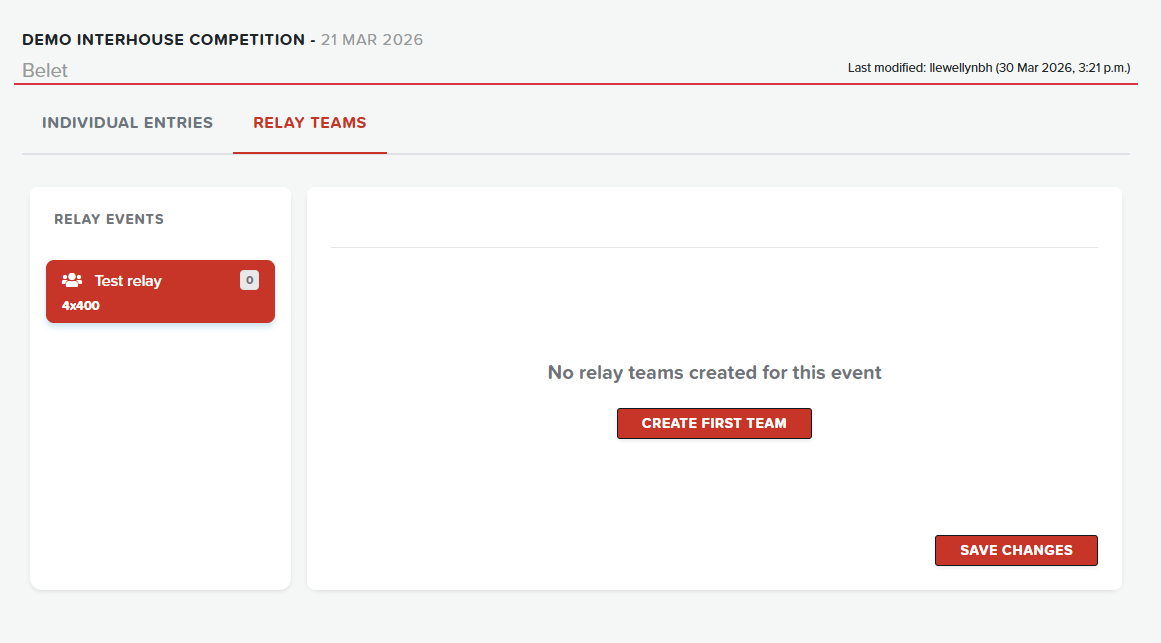
- Switch to the Relay teams tab
- Select a relay event from the sidebar
- Click Create First Team (if none exist)
- Or click the + button to add additional teams
Inputting Runners into a Relay
- Select the relay event and team tab
- Add athletes using the same transfer method as individual events
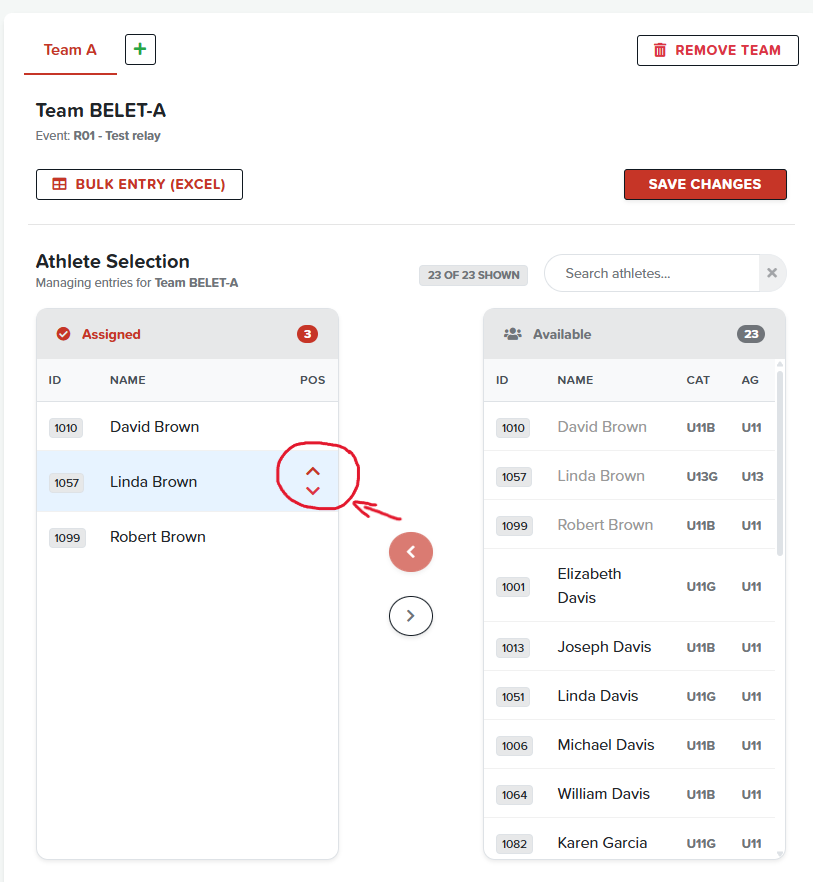
- Use the Pos (position) arrows to reorder runners
- Position numbers determine running order
Note
Most relay events require 4 runners, with optional reserves.
Reordering Relay Runners
Bulk Relay Entry
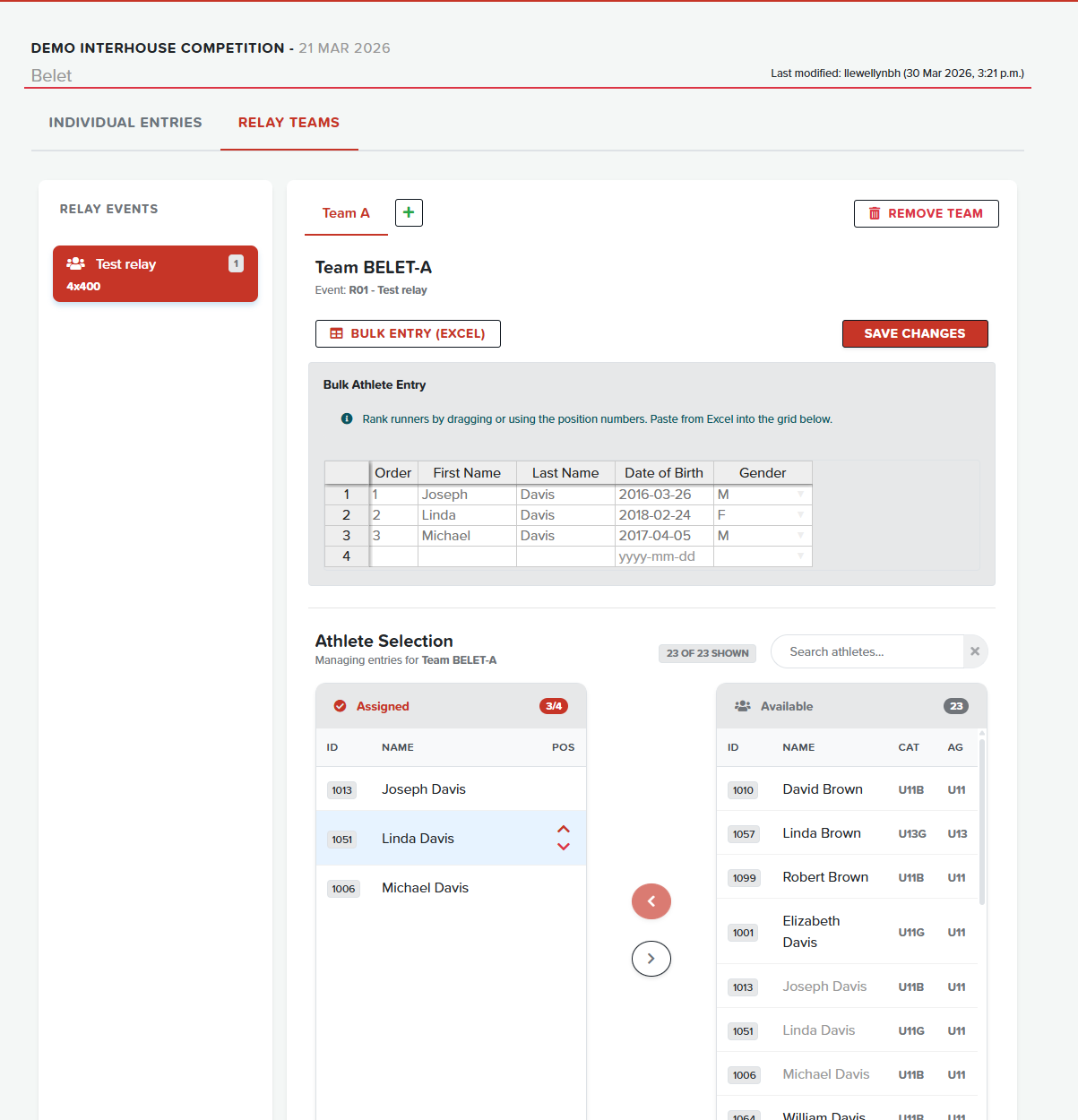
- Click Bulk Entry (Excel) in the relay teams section
- Enter runner details with position numbers
- Paste from Excel into the grid
Setting Team Category
- With a relay team selected, locate the Team Category dropdown
- Select the appropriate category (e.g., "Open", "Junior", "Senior")
- Click Save Changes to persist
Saving Changes
- Click Save Changes button to persist all entries
- A loading spinner appears during save
- Green checkmark indicates saved state
Navigation Tips
| Action | Method |
|---|---|
| Select single | Click row |
| Quick add | Double-click row |
| Reorder | Use chevron arrows |
| Search | Type in search box |
| Clear search | Click X button |