BMC Membership (British Milers Club)
The British Milers Club (BMC) handles its membership through OpenTrack at bmc.opentrack.run. This guide walks through how joining and renewing works — from deciding how to join, to choosing your membership category, to seeing which category your recent performances qualify you for.
To do anything with your membership you'll need an OpenTrack account and to be logged in to bmc.opentrack.run.
How membership years work
BMC membership covers a calendar year — from 1 January to 31 December. When you join or renew you're buying membership for the membership year, and your membership runs to the end of that year.
Membership prices
- Standard — £40 for one annual (calendar-year) membership.
- Early-bird — £35 if you renew and confirm payment by 31 March. Only continuing members qualify — see Early-renewal discount.
- Joining later in the year — if you join as a new member on or after 1 September, your membership covers the following calendar year, and the standard £40 yearly rate applies (it does not cost more just because it covers the next year).
- New members — £45 for the first year. This includes a BMC vest, which is posted to you and can take 4 or more weeks to arrive.
- Overseas members — £50.
The journey at a glance
- Choose how you're joining — as an athlete, coach or associate.
- Confirm your contact details and any extra info we need.
- Choose your membership category.
- The standards table shows how your recent performances compare against the entry standard for each category.
- Pay online — for the category you qualify for, or your previous category if you're renewing. A confirmation email with your membership number, category and new expiry date is sent once your payment clears.
1. Choosing how to join
When you join (or renew), you choose the type of membership you want:
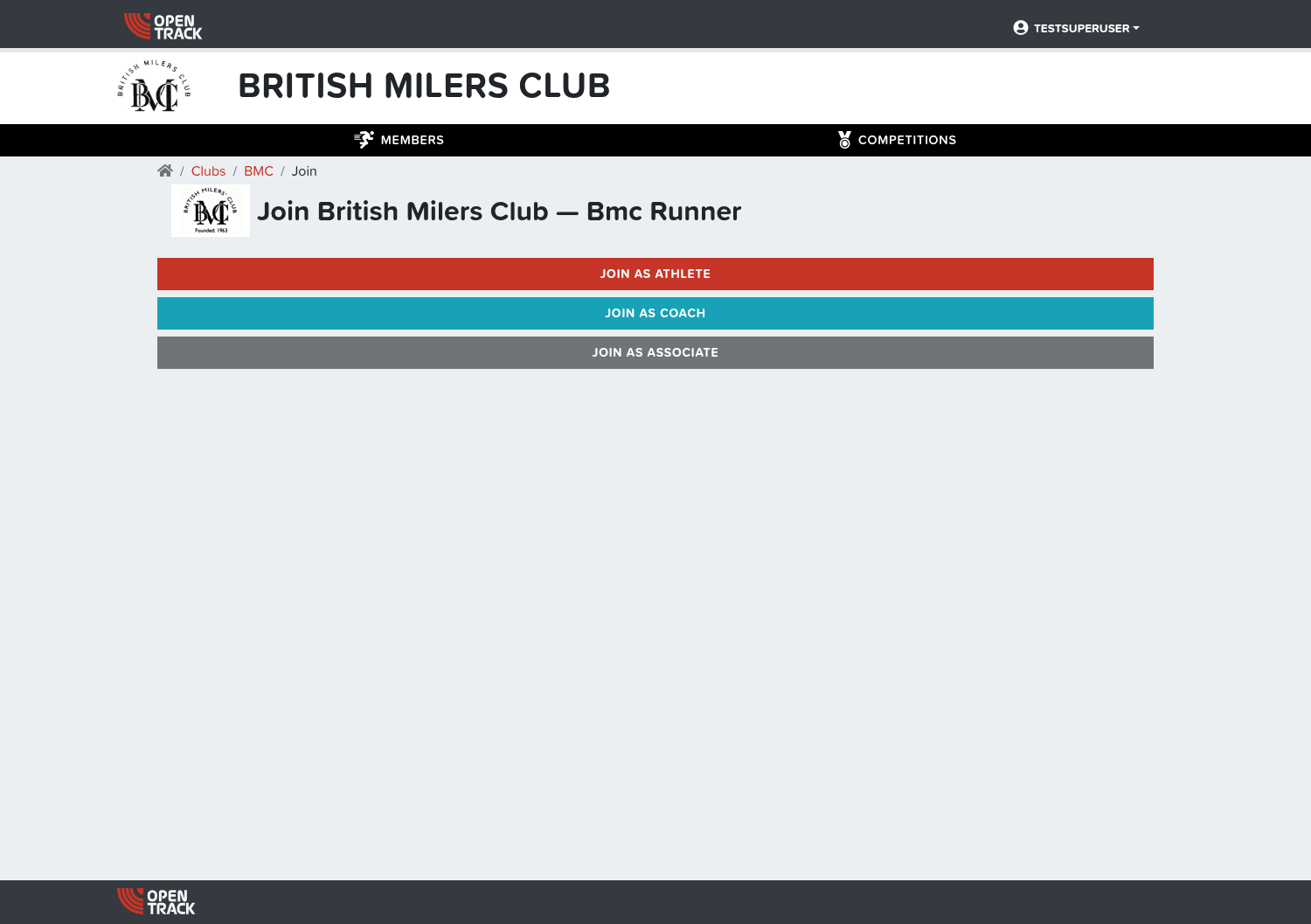
- Athlete — you run and want a runner's membership. Your membership category is worked out from your recent performances (see step 3).
- Coach — BMC will check your coach status before you can pay for coach membership.
- Associate — a non-competing support/supporter membership.
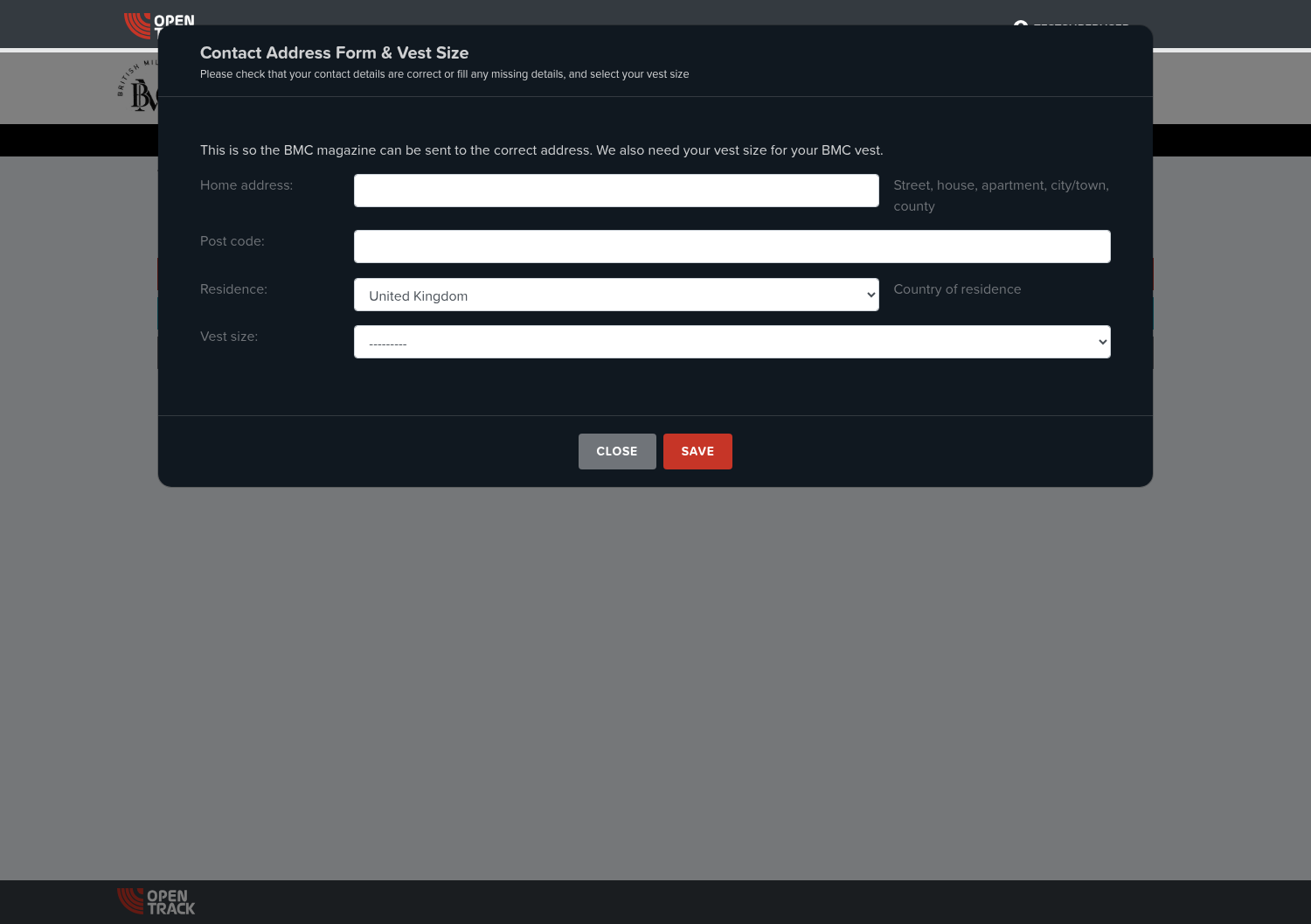
Whether you're joining or renewing, you'll first be asked to confirm your contact details. This is the address we use to send your membership pack (and, for new members, to record your vest size):
2. Choosing your membership category ⏺ the standards table
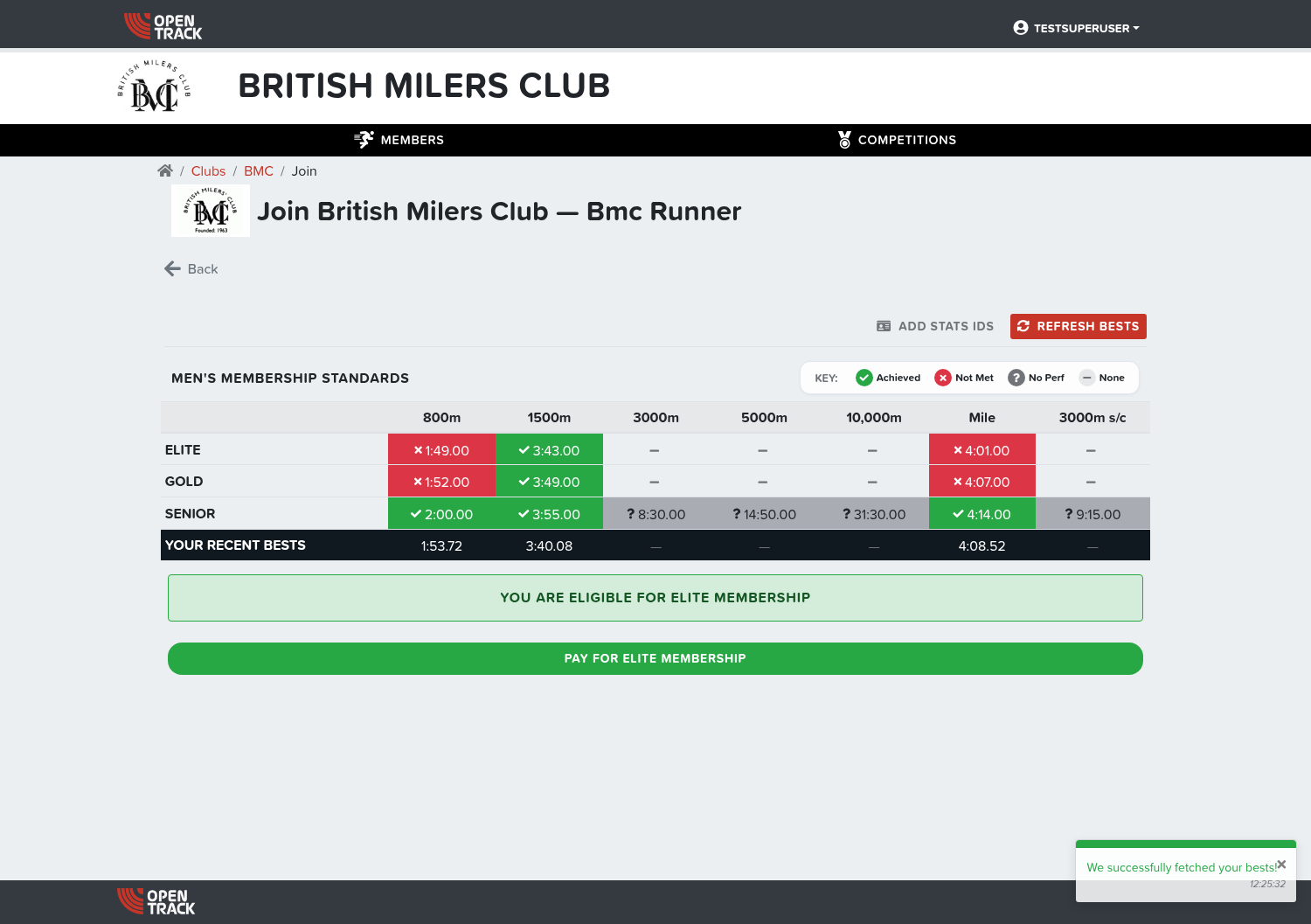
Choosing Join as an Athlete (or Renew as an Athlete) opens the Membership Standards table. This is where your membership category is decided — it compares your recent best performances against BMC's entry standards for each category.
The table works like this:
- Rows are the membership categories — from the highest (for example Elite and Gold) down to Senior and the age-group categories (Under 20s, 17s, 15s), where they apply to you.
- Columns are the events BMC sets a standard for (for example 800m, 1500m, 3000m, 5000m, 10,000m, Mile).
- Each cell shows two things — the standard time for that event and category, and whether you've met it:
- Achieved — your best is at or inside the standard.
- Not met — your best isn't good enough for that standard yet.
- No performance — we have no recent best for that event on record.
- None — there's no standard set for that event and category.
A legend explaining these icons appears above the table.
- The YOUR RECENT BESTS row at the bottom of the table shows the personal bests we're comparing against, so you can see exactly what we're using to decide your category.
What the buttons do
Two buttons sit alongside the standards table:
- Refresh Bests — fetches your latest best performances from your results feed (Power of 10 / World Athletics / Tilastopaja) and re-runs the category check. Use this if you've set a new best recently or our figures look out of date.
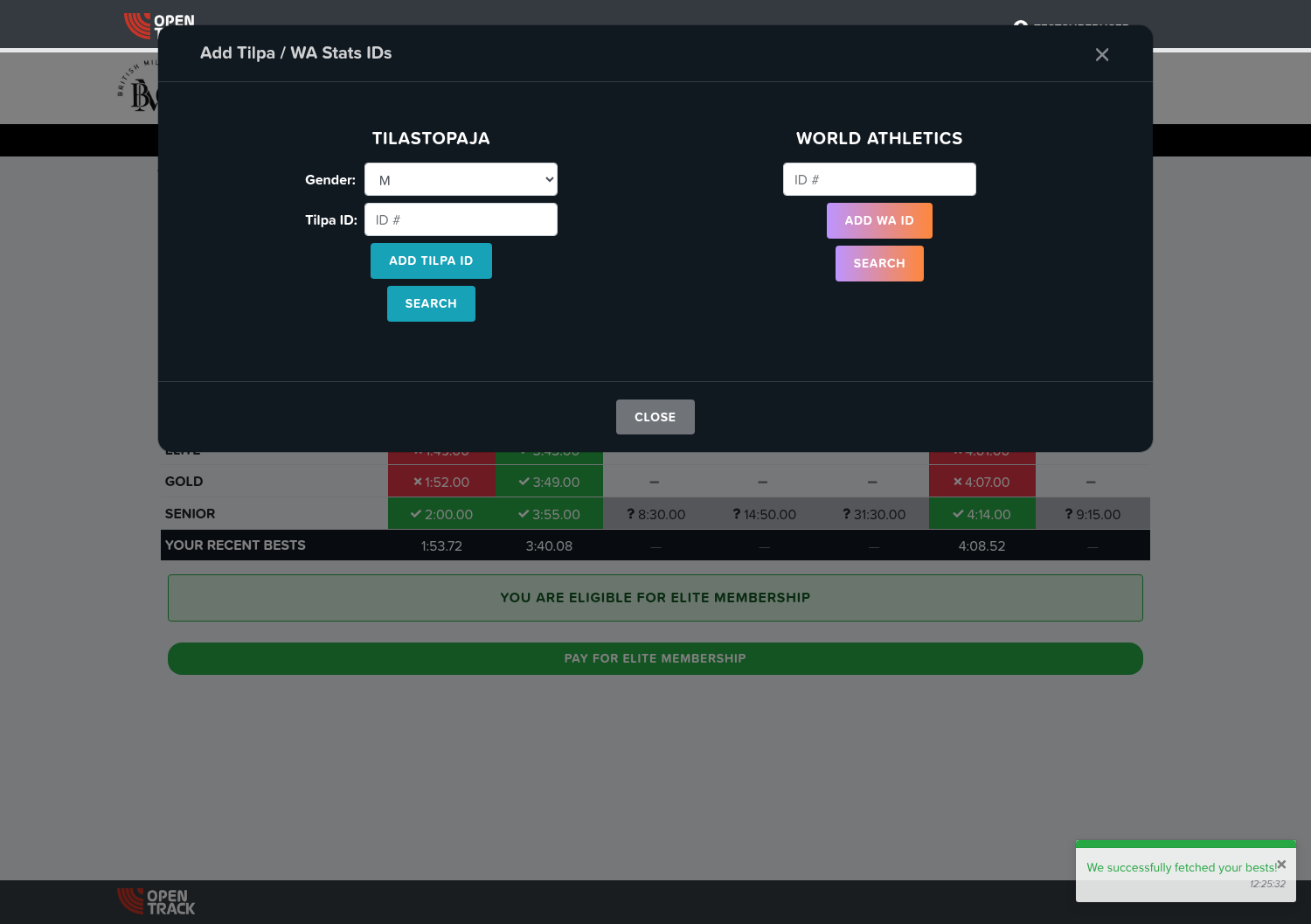
- Add Stats IDs — lets you add your Power of 10, World Athletics or Tilastopaja ID(s). This is how we look up your recent results, so adding them means the standards check and your bests are accurate.
Selecting and paying for your category
Below the table:
- If you've met a standard, we show the best category you qualify for with a green "Pay for {category} membership" button (for example "Pay for Elite membership"). You can then pay online for that category.
- If you haven't met any standard yet, the table shows "You have not met any qualifying standards" so you know which events/categories you'd need a better time in.
After you pay
Once your payment has cleared you'll receive a membership confirmation email from BMC with your membership number, category and new expiry date. If it doesn't arrive, check your spam folder; if it's still missing, your membership may not have an email address on record — update your contact details on your BMC homepage and try again.
3. Renewing your membership
If you were a BMC member in the current or the immediately previous membership year, you'll see a Renew option rather than Join.
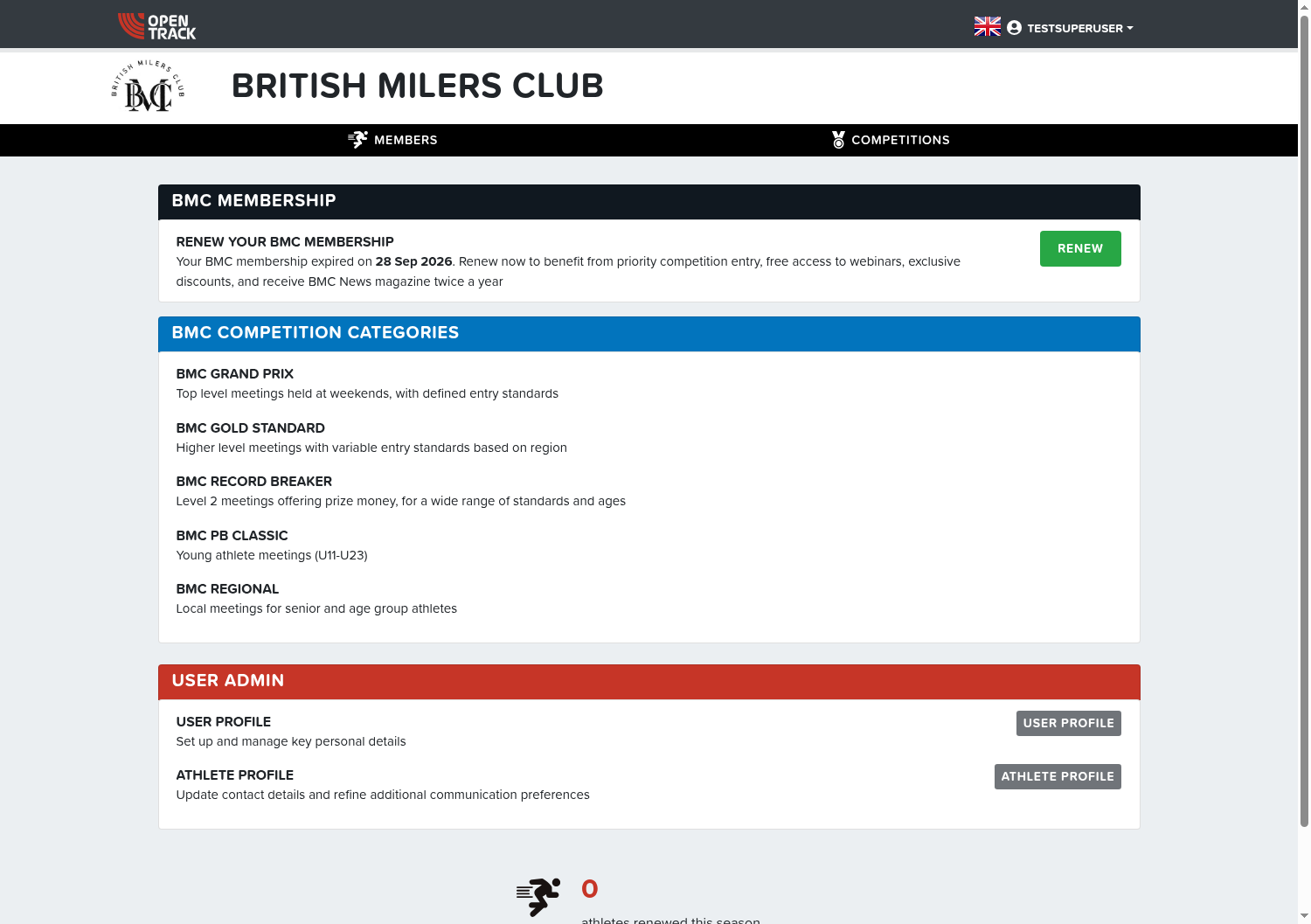
When you renew as an athlete, you'll see the same standards table, plus an extra button for your previous membership category:
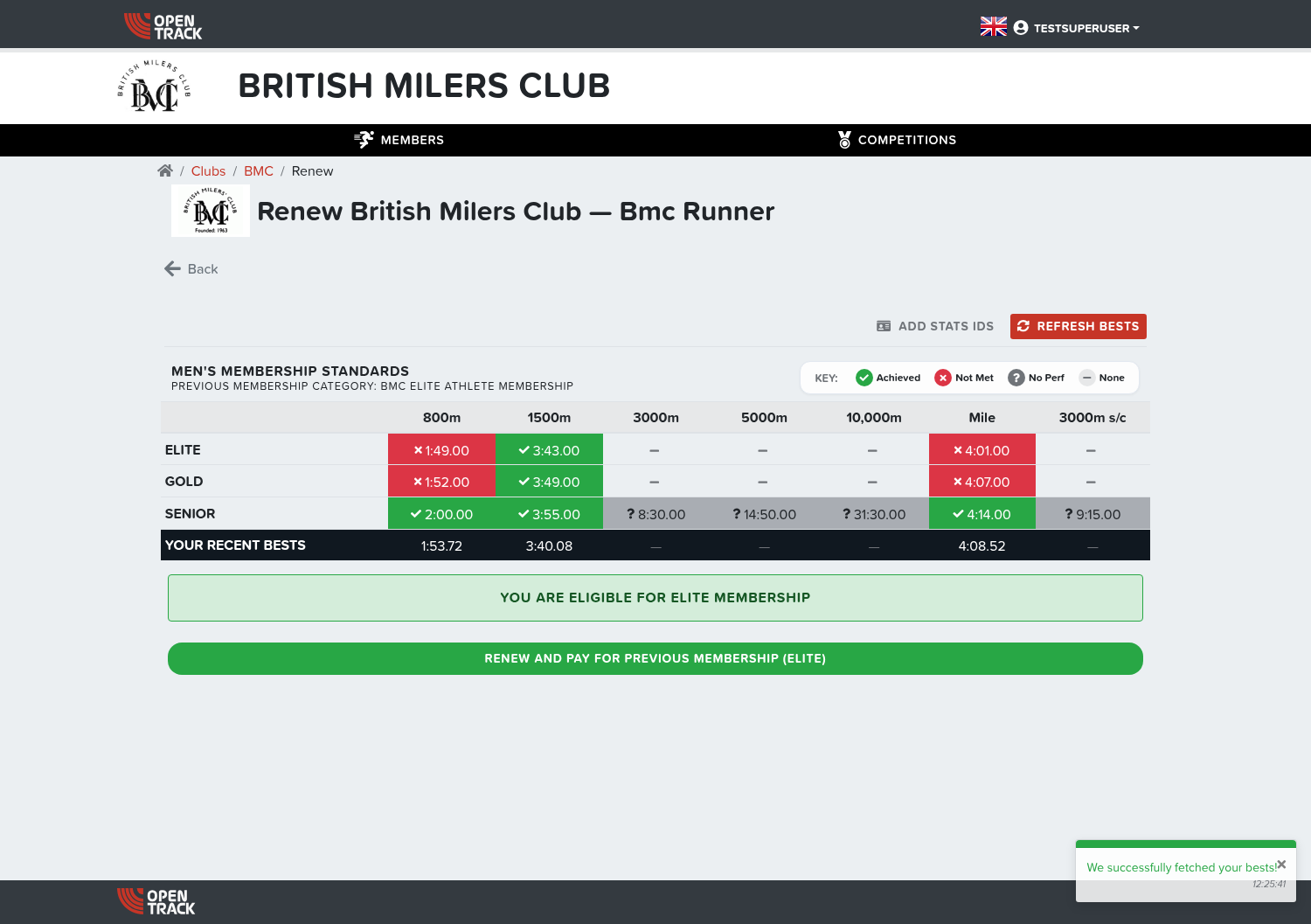
- Renew and Pay for your previous membership ({category}) — lets you keep the category you held before (for example Elite) even if your recent bests no longer meet the entry standard, as long as your membership hasn't lapsed.
- If you'd rather be moved to the category you currently qualify for, use the standard "Pay for {category} membership" button instead.
New member or renewing member?
The difference between joining and renewing comes down to whether your previous membership has lapsed.
- You can renew if your last BMC membership was held within the previous few membership years. BMC keeps your renew-option open for three membership years — so if, for example, your last membership covered 2026, you can still renew rather than re-join throughout 2027.
- If your last membership ended before that — more than three membership years ago — it's considered to have lapsed. You can't renew it online; you're taken through the join process as a new member instead.
A couple of examples:
- Your last membership covered the 2026 membership year and you come to renew a little later. Your membership is still within the renew window, so you renew.
- Your last BMC membership covered 2022 and you return several years later. Your membership has lapsed, so you re-join as a new member.
When your payment counts
If you join as a new member from 1 September onwards, your membership is treated as being for the following membership year (the one about to start): it begins on the day you join and runs to the end of that following year.
Join before 1 September and your first membership runs to the end of the current membership year (starting on the day you join).
This 1 September date applies to new members only. Renewals are handled by the ordinary renewal window in the weeks before the membership year ends.
Early-renewal discount
BMC offers an early-bird discount on renewals confirmed by 31 March, where available. The early-bird renewal price is £35, against the standard £40.
The discount is for continuing members who renew — you need to have held a BMC membership in the membership year just before the one you're renewing for. In practice:
- Renewing with no gap — you renew by 31 March and your previous membership covered the immediately-previous membership year: you get the early-bird discount.
- New to BMC — your first membership does not qualify for the early-bird discount; you pay the full price for your first year.
- Renewing after a gap — if your last membership was more than a full membership year before the one you're renewing for, the early-bird discount is not applied (even though you may still be within the renew window and able to renew at all).
So going forward, to receive the early-bird discount you renew before the 31 March cutoff and your previous membership must have covered the immediately previous membership year.
Need help?
If something isn't working or you have a question about your membership, contact BMC for help — the support address on your membership emails is the quickest way to get an answer.